
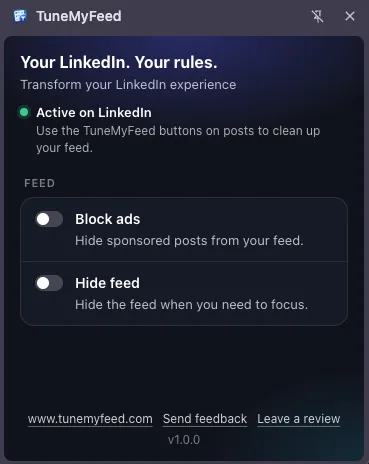
Until now, TuneMyFeed had no settings: you installed it and the buttons appeared on LinkedIn posts. Version 1.1.0 adds a place for the settings that came with it.
How to open it
Click the TuneMyFeed icon in your browser's toolbar. If you don't see it, click the puzzle-piece icon and pin TuneMyFeed. A side panel opens next to the page you're on.
What's in it
- Your feed settings. Switch Hide feed and Block ads on or off. Changes apply to LinkedIn right away, no reload needed.
- Whether it's working. The panel shows if TuneMyFeed is active on your LinkedIn tab, and offers a reload when a tab still needs one.
Everything stays in your browser: settings are saved locally, never sent anywhere.