
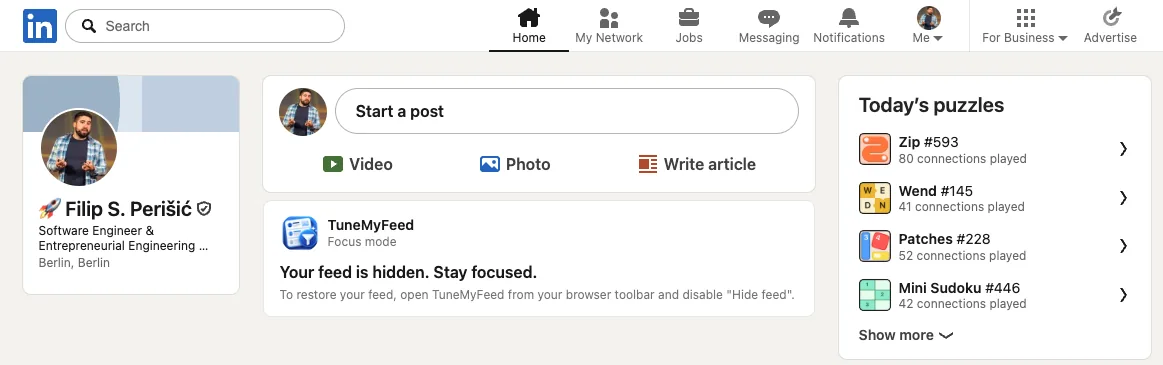
You open LinkedIn to answer a message, check a profile or share a post. Twenty minutes later you're still scrolling. The feed is built to keep you there.
"Hide feed" removes it.
What it does
Turn it on, and the posts on your LinkedIn home page are replaced with a calm TuneMyFeed card. Everything else stays: messages, notifications, profiles, jobs, search. "Start a post" stays too, so you can still share something without seeing what everyone else shared.
The feed is hidden before LinkedIn draws it, so you don't get a flash of posts first. The card matches LinkedIn's light and dark themes.
How to turn it on
- Click the TuneMyFeed icon in your toolbar to open the settings panel.
- Switch on Hide feed.
Want the feed back? Switch it off, and it's there again, right away.
When it helps
- You use LinkedIn for work tasks, not for browsing.
- You've set yourself a limit on LinkedIn time.
- You want a break from the feed for a while, without uninstalling anything.